Node endpoints
You can run your own node for interacting with the Midnight Network or connect to public endpoints provided by infrastructure service providers. For development and testing convenience, Midnight provides public RPC endpoints for Testnet environments.
Public network endpoints
Midnight currently maintains two active test networks for development and testing.
- Preview
- Preprod
The primary development environment maintained by core engineering.
| Service | URL |
|---|---|
| RPC (WebSocket/HTTP) | https://rpc.preview.midnight.network/ |
| RPC (WebSocket only) | wss://rpc.preview.midnight.network/ |
| Explorer | https://polkadot.js.org/apps/?rpc=wss%3A%2F%2Frpc.preview.midnight.network#/explorer |
Pre-production environment for final testing before Mainnet deployment.
| Service | URL |
|---|---|
| RPC (WebSocket/HTTP) | https://rpc.preprod.midnight.network/ |
| RPC (WebSocket only) | wss://rpc.preprod.midnight.network/ |
| Explorer | https://polkadot.js.org/apps/?rpc=wss%3A%2F%2Frpc.preprod.midnight.network#/explorer |
Public endpoints are provided for development and testing purposes. For production DApps, consider running your own RPC node or using a dedicated infrastructure provider for better reliability and performance.
Use RPC endpoints
The following examples show how to use the RPC endpoints.
Query chain information
Example query to get the chain name for the Preview network:
curl -X POST \
  -H "Content-Type: application/json" \
  -d '{
        "jsonrpc": "2.0",
        "method": "system_chain",
        "params": [],
        "id": 1
      }' \
  https://rpc.preview.midnight.network/
List available RPC methods
Query all available RPC methods and save to a file for the Preview network:
curl -X POST \
  -H "Content-Type: application/json" \
  -d '{
        "jsonrpc": "2.0",
        "method": "rpc_methods",
        "params": [],
        "id": 1
      }' \
  https://rpc.preview.midnight.network/ \
  | jq '.' > rpc_methods.json
Get latest block
Example query to get the latest block for the Preview network:
curl -X POST \
  -H "Content-Type: application/json" \
  -d '{
        "jsonrpc": "2.0",
        "method": "chain_getBlock",
        "params": [],
        "id": 1
      }' \
  https://rpc.preview.midnight.network/
Insomnia API collection
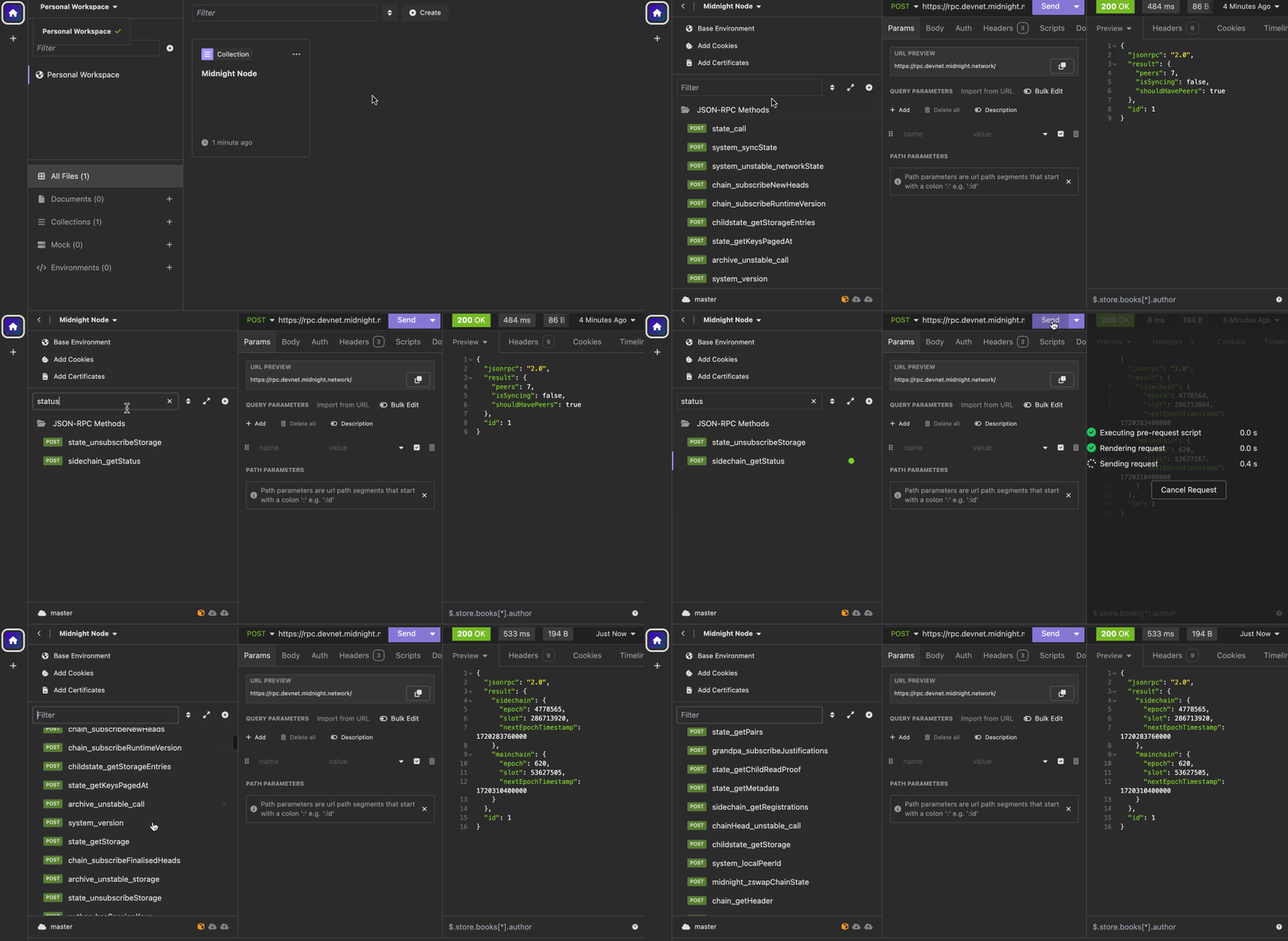
The Midnight Node Insomnia API collection provides pre-configured requests to test and interact with node endpoints, making it easier to explore the RPC API and debug your integration.
Setup instructions
-
Download the collection
Download Midnight Node Insomnia Collection -
Install Insomnia
If you haven't already, download and install Insomnia from the official website.
-
Import the collection
- Open Insomnia
- Go to the main menu and select
Import/Export - Choose
Import Data>From File - Select the downloaded
Insomnia.jsonfile
-
Configure and use
- The collection will appear in your Insomnia workspace
- Update environment variables (RPC endpoint URL if different from default)
- Explore the pre-configured requests for common operations
The Insomnia collection includes examples for querying blockchain state, submitting transactions, and subscribing to events. Use it as a reference when building your own client applications.